Running a single Claude Code session is best suited for developing a single feature. As you try to pick up multiple tickets at once, you run into a couple blockers inherent to the session model:
- git version control issues, like having two branches checked out at once; you’ll need to configure a worktree
- depleting your context window (and response quality) faster by running subagents within the same session
Engineers have been trying to figure out the right orchestration patterns for architecting multi-agent setups, and while this is all still experimental and in flux, there are a few solid options out right now.
Multi-agent orchestrators for Claude Code
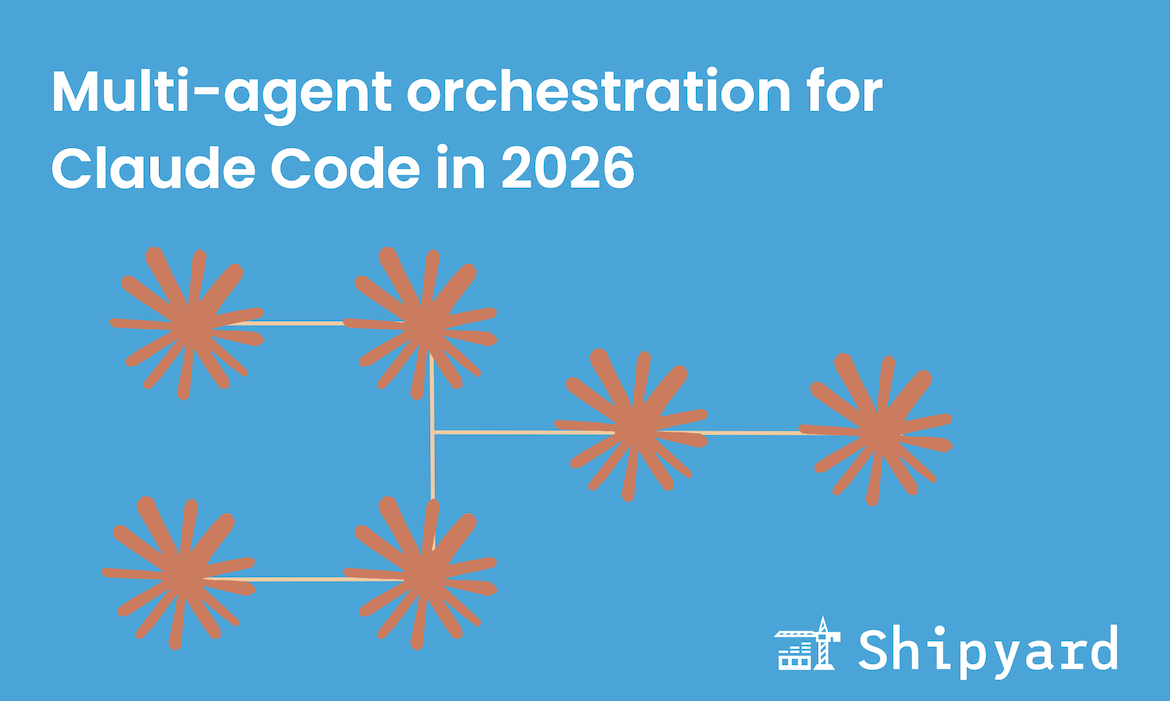
Managing a fleet of agents on your own works up to a certain point. Claude Code supports custom subagents, but this pattern doesn’t scale well for more sophisticated workflows. These orchestrators, Agent Teams, Gas Town, and Multiclaude, are good places to start. They’re opinionated in the way they manage agents, which makes them a good starting point for those new to multi-agent. All three tools have a similar orchestration pattern, in that they have a primary agent deconstruct tasks, then summon subagents to work for long stretches autonomously.
Claude Code’s official feature: Agent Teams
Claude Code now has a built-in multi-agent orchestrator: Agent Teams. It’s still experimental and disabled by default, but it’s a really strong entry point for running multiple Claude Code instances.
Agent Teams let one session be the “team lead”, which coordinates all agent work via a shared task list. The “teammates” each run in their own context windows and communicate directly with each other. This is distinct from subagents (which can only report back to the main agent) teammates can message each other without going through the lead.
How to enable Agent Teams
Make sure you’re using Claude Code v2.1.32 or later. Add to your settings.json:
{
  "env": {
    "CLAUDE_CODE_EXPERIMENTAL_AGENT_TEAMS": "1"
  }
}
Starting a team
Once enabled, you can instantiate an agent team by describing what you want in natural language:
create an agent team with 3 teammates to refactor these modules in parallel
In your terminal, use Shift+Down to cycle through each teammate and message them individually. If you’re in a tmux session or using iTerm2, Agent Teams can open each teammate in its own split pane.
Agent Teams vs. subagents
| Subagents | Agent Teams | |
|---|---|---|
| Communication | Report to main agent only | Teammates message each other directly |
| Coordination | Main agent manages everything | Shared task list between agents |
| Best for | Smaller tasks, single sessions | Complex and/or large projects |
| Token cost | Medium-high | High (each teammate is a separate instance) |
Gas Town
Gas Town is Steve Yegge’s take on an agentic IDE. He likens it to Kubernetes for AI agents, in that it is a structured and opinionated way to manage multiple agents at once (instead of just running them in their respective CLI windows).
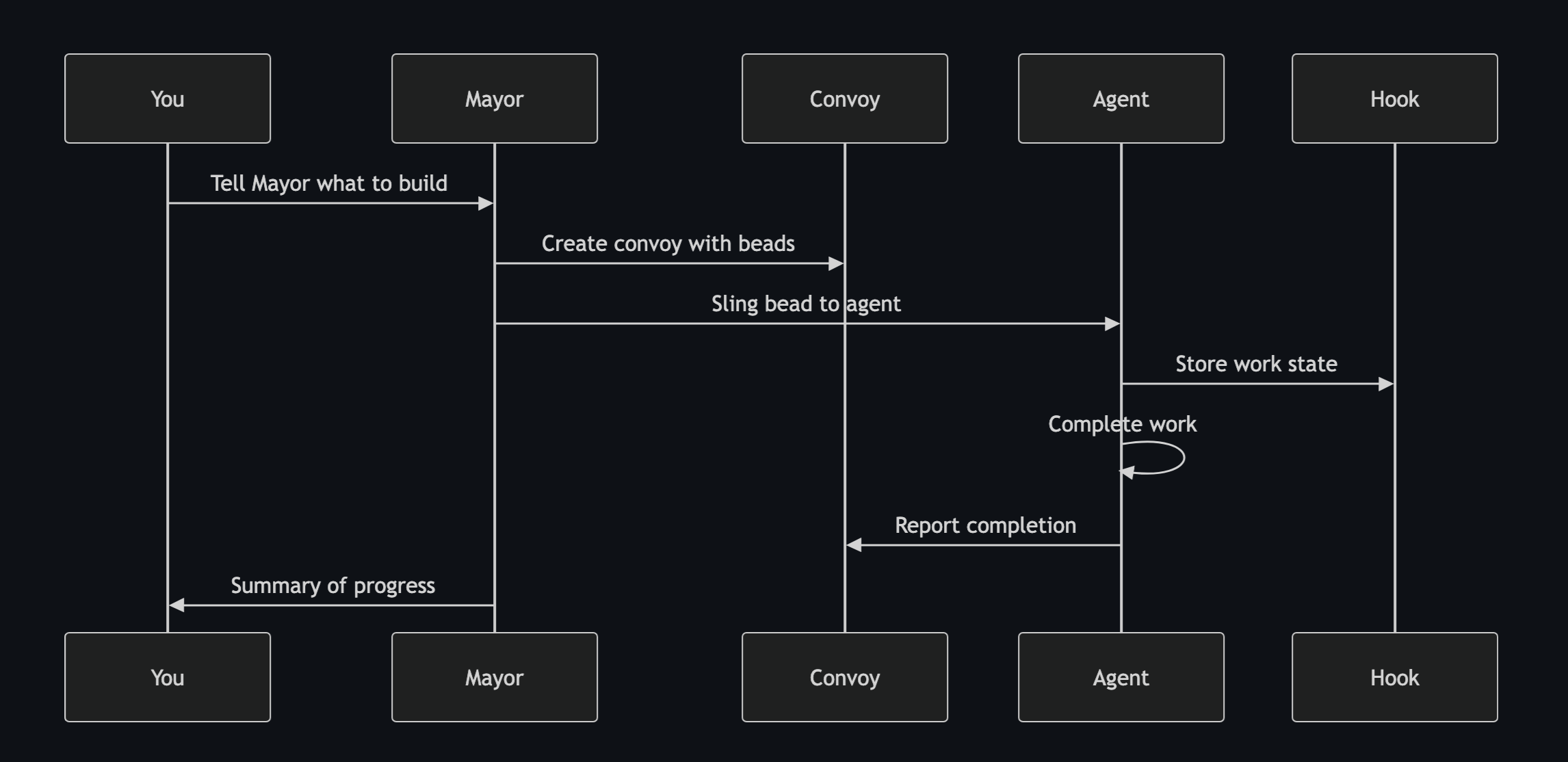
Gas Town addresses a number of challenges that are inherent to running multiple agents, including context management and version control. It lets users instantiate new agents via CLI commands. To manage orchestration, it has an agent hierarchy: the “mayor” agent breaks down your tasks and spawns designated agents to tackle them.
Check it out on GitHub. To get started, you can install it via CLI:
brew install gastown
Multiclaude
Multiclaude is a multi-agent orchestrator built by Dan Lorenc. It is implemented to follow a Brownian ratchet-like philosophy, in that it always pushes forward: as long as CI tests pass, every PR gets merged, and sometimes duplicate changes make their way into the codebase.
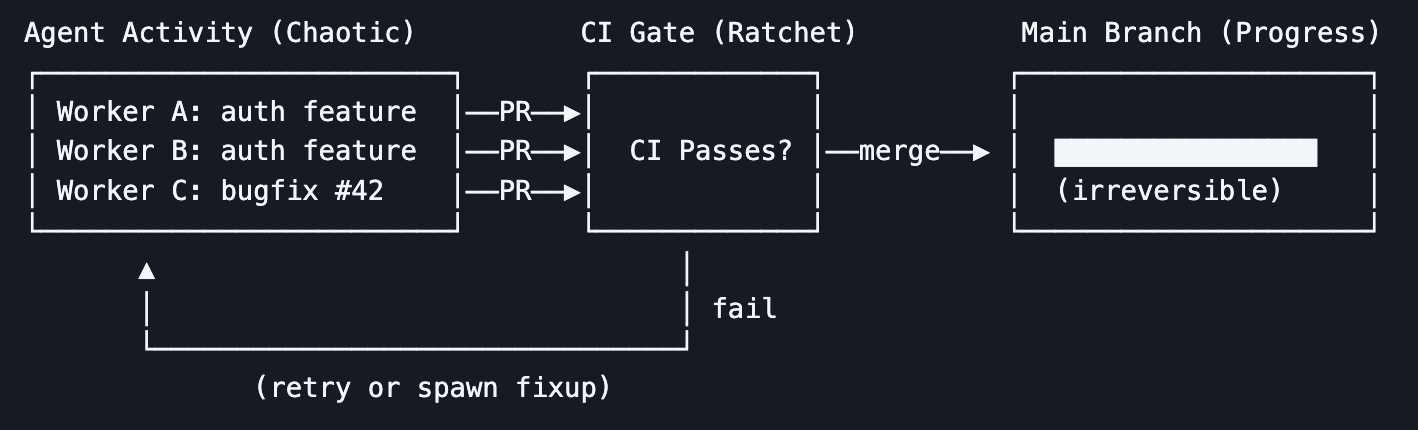
With Multiclaude, you can choose to use “singleplayer” mode, in that all PRs get automatically merged without human review, or “multiplayer”, where your teammates can review code when it’s ready. Like Agent Teams and Gas Town, Multiclaude orchestrates agents via a team model, with the “supervisor” agent assigning tasks to subagents. You can also define other subagents using Markdown files.
Here’s the GitHub repo; you can get started by running:
go install github.com/dlorenc/multiclaude/cmd/multiclaude@latest
How do Gas Town and Multiclaude compare?
After venturing beyond Claude Agent Teams, you might want to try one of these two options for a different orchestration pattern and more features.
The Multiclaude maintainers put together a doc comparing these two orchestrators.
TLDR: Gas Town is more complex, and is better for solo devs working on hobby projects. Multiclaude offers support for team usage/review. Gas Town is better suited for running more agents in parallel, while Multiclaude is stronger for giving long prompts then walking away for awhile.
Considerations for multi-agent setups
Multi-agent workflows aren’t for everyone and don’t make sense for 95% of agent-assisted development tasks. Right now, they are an expensive and experimental way to complete larger projects.
Before picking an orchestrator and getting started:
- Be prepared to hit your usage limits really quickly. Steve Yegge remarks running three concurrent Claude Max accounts to maintain the pace he needs when using Gas Town
- Be extra technical in your prompting. Unlike the “default” CC mode, there are fewer chances for you to redirect your agent(s) when they misinterpret a task or go off track. And there’s a much higher volume of code to sift through. Spend time perfecting your initial prompts, otherwise your agents can potentially waste hours of compute doing the wrong thing
- Remember that these tools are vibe-coded, so they’re of course susceptible to all the pitfalls of vibe-coded software. They’re probably buggy and might even have security flaws; use them responsibly
Test and validate in the loop
To get stronger results from your multi-agent configs, you’ll want to implement a system that deploys agent code changes to a production-like test environment so you can run E2E tests against every commit. Shipyard makes this easy: agents can self-serve their own ephemeral environments via MCP or CLI, pull logs, point tests, then iterate as needed. This way, they can get their own feedback and loop devs in only for more consequential tasks.
But don’t just take our word for it, try it yourself free for 30 days. You’ll likely see your multi-agent workflows run smoother than ever.