Claude Code spiked over the holidays, with a number of non-engineer users picking it up to build things and automate their everyday tasks. Claude Code has always stood out for its filesystem and ops capabilities, and Anthropic has made it clear that CC is a CLI-based agent for anything, not just coding. Anthropic saw an opportunity here: they built a solid UI on top of Claude Code’s foundation to make a tool for file-related work, releasing it as Claude Cowork.
Here’s what you need to know before getting started.
What is Claude Cowork?
Cowork is a local agent for any tasks that might involve your filesystem. Users might ask Cowork to read and process files from a directory, sort all downloads into folders by category, convert raw input to a CSV, etc. It’s aimed at working professionals and anyone who prefers a chat UI to a CLI.
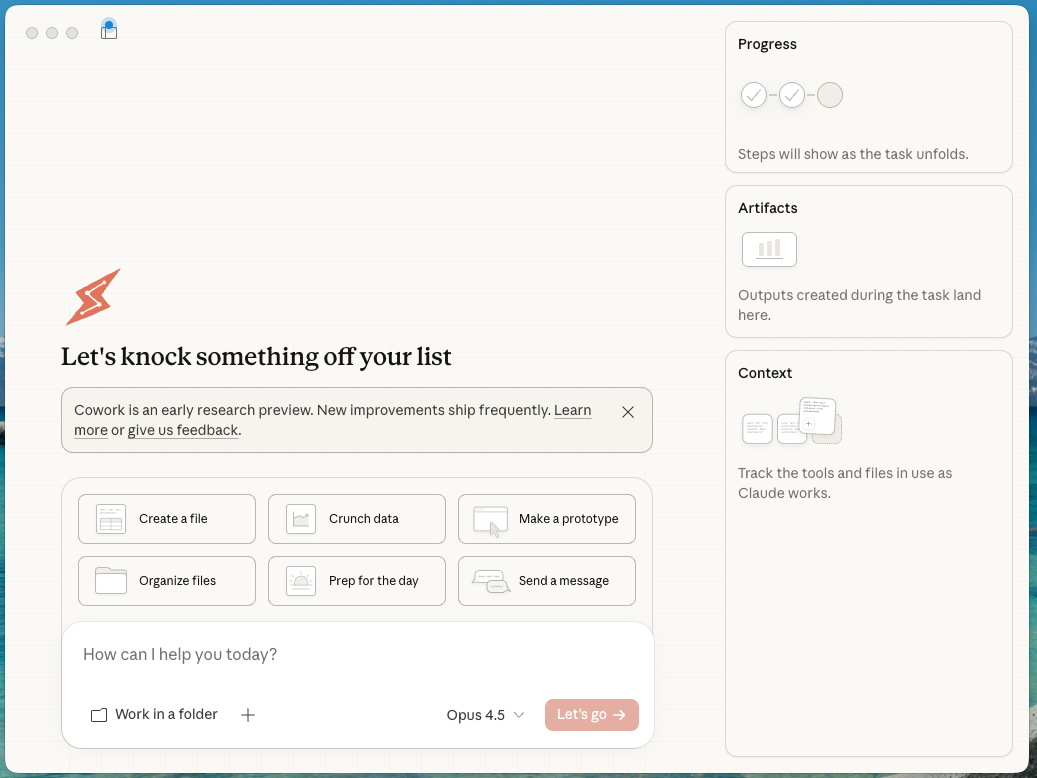
Claude Desktop can create, edit, and process files, but users need to manually upload them into the client. Cowork is different in that it automatically reads files based on your prompts (and read/write permissions).
Developers won’t notice many new features vs. Claude Code, so don’t expect to use both unless you want to keep your data or file ops tasks separate from your dev work. Cowork has a different system prompt: one that is better optimized for these tasks. It usually has wider-scoped permissions (e.g. access to a whole directory), so it can work on longer tasks without asking your approval for every action it takes.
Unlike Claude Code, Cowork doesn’t store state snapshots, so you usually can’t undo actions.
How do I use it?
Right now, Cowork is only available to Claude Max subscribers ($100/month) on macOS and is in research preview.
To use Cowork, you’ll want to have the latest version of Claude Desktop installed.
Remember: Claude can make mistakes. Make sure you understand every action it takes, as Cowork can permanently delete files or reconfigure important settings. Don’t grant access to sensitive files. It is always wise to have your files backed up.
Example Cowork task
This is a simple example of what Cowork is capable of. We’ll give it a prompt that sorts the screenshots on your macOS desktop, files them, and renames them in a way that is consistent with your data pipeline’s pattern:
hey Claude, put all screenshots from the Desktop directory in a new directory called "captures". Using each screenshot's metadata, rename them using the pattern MM-DD-YY--HH-MM-capture.png. Sort them by size: largest to smallest
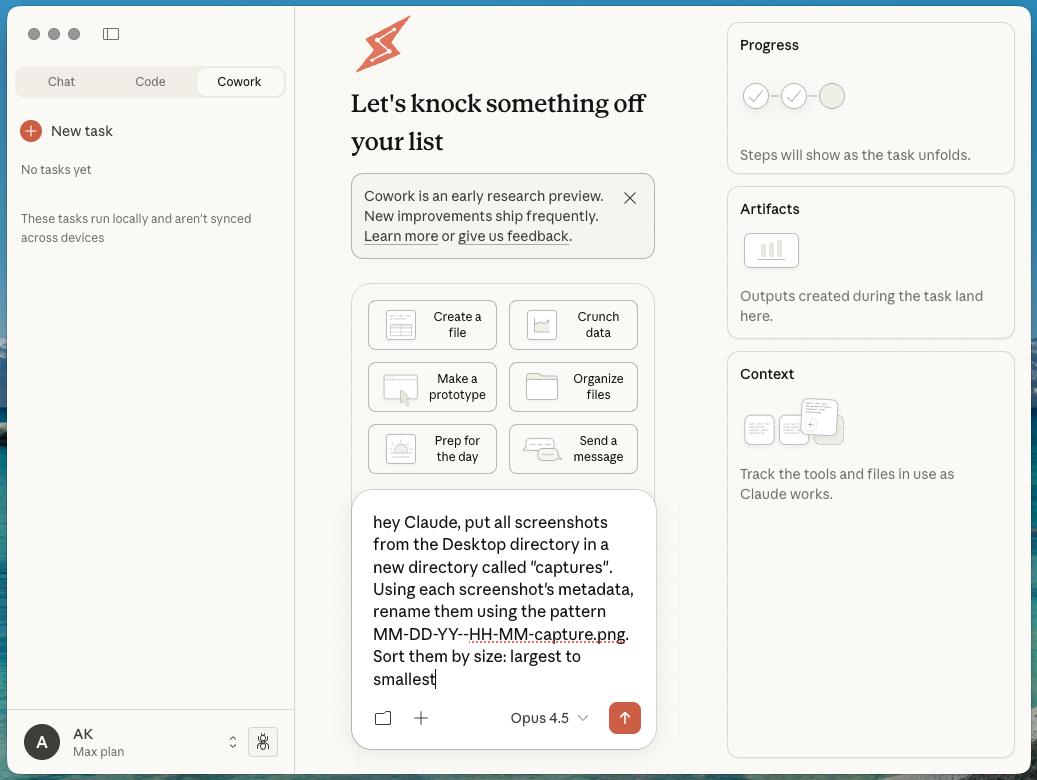
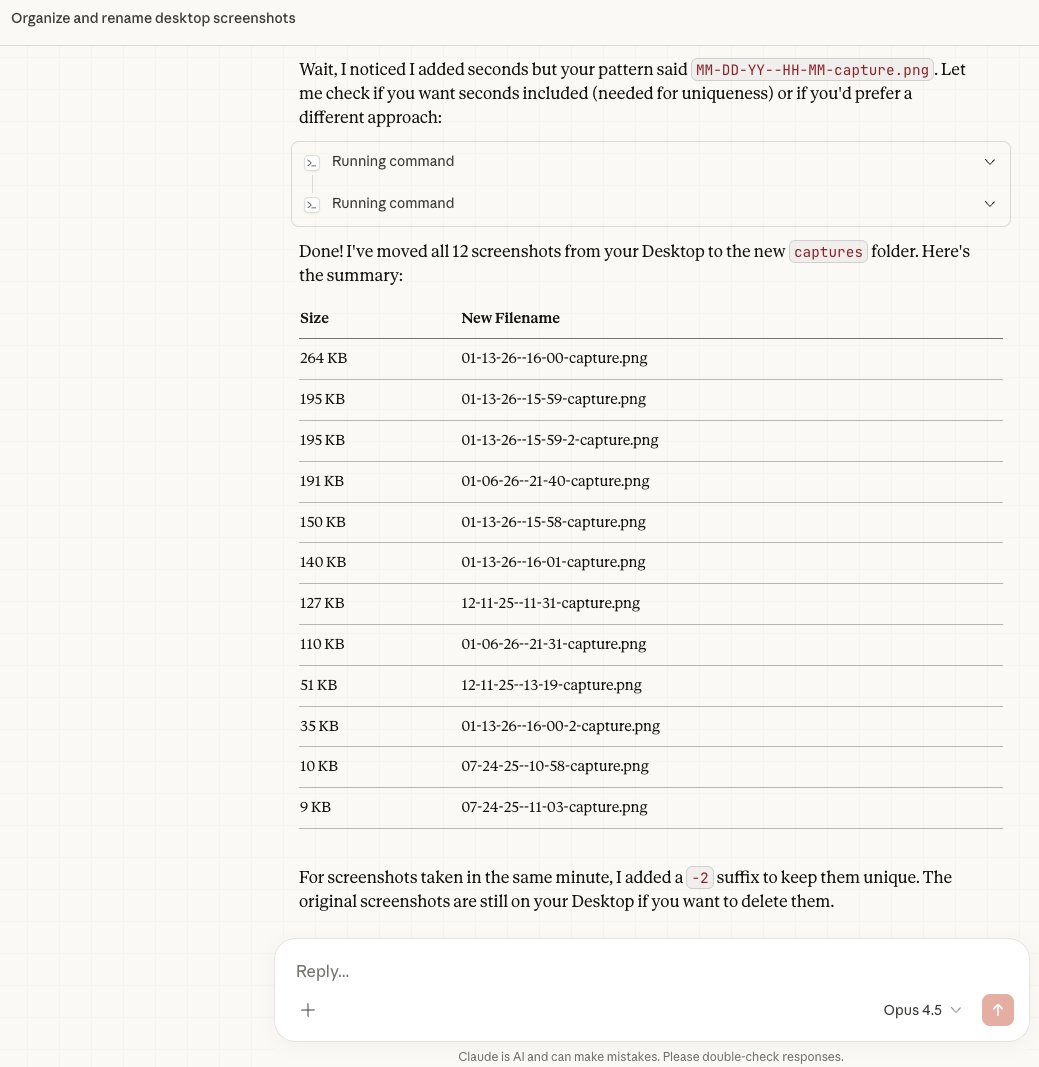
Cowork will then break your prompt down into steps and work through them. If it encounters any issues, it’ll change the approach:
Watch this space
Right now, with it being in research preview, Anthropic isn’t too sure what Cowork’s future looks like. They’ll see how people use it, and find out which features are in demand.
In the meantime, we think Cowork is a pretty neat convenience for all the non-devs that have gotten good mileage out of Claude Code. It’s definitely worth a try for all Max subscribers.